
Standing Desk vs Desk Converter for Small Home Offices
A full standing desk sounds like the obvious upgrade, but in tighter rooms a converter can deliver enough benefit with less disruption. The right choice depends on permanence, cable tolerance, and desk depth.
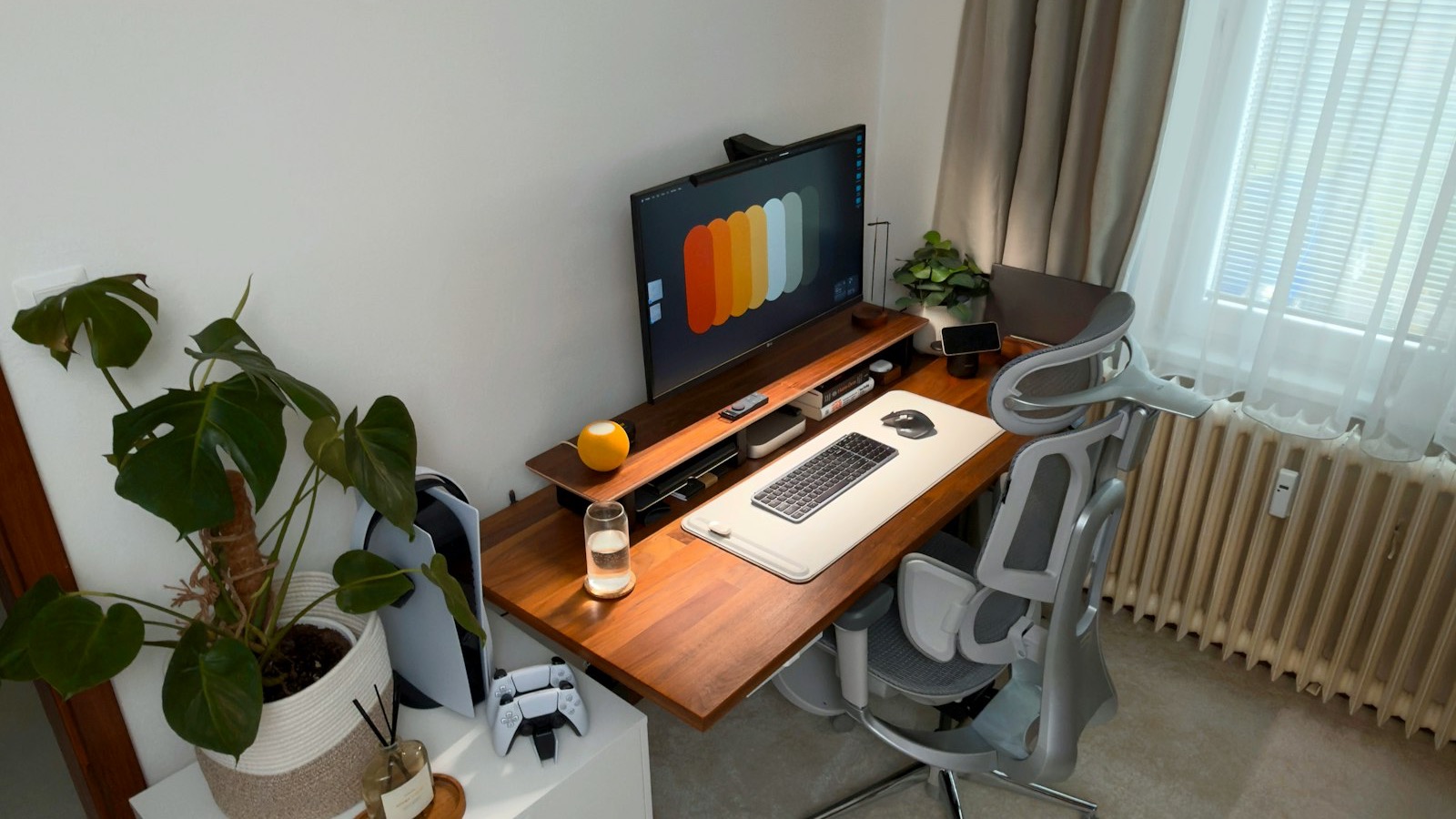
The "Standing Revolution" promised us a future of infinite energy, better posture, and a longer life. While the reality is a bit more nuanced, the core benefit of a standing desk remains: it breaks the cycle of sedentary work. However, for many busy adults, the question isn't whether to stand, but how to implement it in a restricted space without spending a fortune or rebuilding their entire office. At RetireGoal, we look at the standing desk not as a piece of gym equipment, but as a critical piece of "Working Infrastructure."
The Fundamental Physics of the Home Office: Depth over Width
Before choosing a piece of furniture, you have to audit your environment. Most people shop for a desk by looking at the width. They want a "big desk" so they can spread out. However, in a small home office—a corner of a bedroom or a converted closet—the most critical metric is Depth.
If your desk is too shallow (less than 24 inches), and you place a large monitor on it, the screen will be too close to your eyes, leading to "digital eye strain." If you then add a desk converter on top of that shallow desk, the converter moved the monitor even closer.
A full standing desk allows you to choose a top that is exactly the right depth for your space and your focal length. We recommend a minimum of 30 inches of depth for anyone using a monitor larger than 27 inches.
The Full Standing Desk: The Architectural Reset
A motorized full desk (like those from FlexiSpot, Fully, or Uplift) is a commitment to a new way of working. It replaces your existing furniture entirely.
1. Uniformity of Motion: The "Whole Surface" Benefit
The primary advantage of a full desk is that the entire surface—your monitors, your keyboard, your coffee, your notepad, and your mouse—moves together. - Ergonomic Consistency: The relationship between your eyes and the screen, and your elbows and the keyboard, remains identical whether you are sitting or standing. - Spill Prevention: Because everything moves together, there is no risk of a monitor cable snagging on a stationary coffee mug as you raise the desk.
2. Variable Height Perfection: Finding Your Number
Standard "sitting" desks are almost universally 29 inches high. For many people, this is actually too high, causing them to shrug their shoulders while typing. A motorized desk allows you to find your "Golden Number." You might find that you are most productive at 27.2 inches while sitting and 41.5 inches while standing. Being able to save these as presets in the desk's memory is what makes the transition between positions frictionless.
3. Integrated Cable Management: The "Clean Room" Aesthetic
Motorized desks are designed for cable management. Most high-end frames include "under-desk trays" or "crossbars" where you can hide the power bricks and wires. In a small room, visible "cable spaghetti" creates visual noise that contributes to mental fatigue. A full desk allows for a "Single-Pipe" setup where only one power cord goes from the desk to the wall.
The Desk Converter: The Tactical Attachment
A converter (like the Varidesk or Ergotron) is a heavy-duty platform that sits on top of your existing stationary desk. It is the choice for those who cannot or will not replace their current furniture.
1. Preservation of Character: The Antique Factor
If you have a beautiful mahogany desk passed down through the family, or a built-in library shelf that functions as your workstation, you aren't going to replace it with a steel-legged motorized frame. A converter allows you to upgrade the functionality of your classic furniture without losing its character.
2. Zero Assembly: Out of the Box and Up
The assembly of a full motorized desk is a 2-hour project involving heavy lifting and precision alignment. A converter, by contrast, usually comes fully assembled. You take it out of the box, put it on your desk, and you are standing in under 60 seconds. For the busy professional with zero interest in "furniture building," this is a massive win.
3. The "Depth" Tradeoff: The Converter's Hidden Cost
While convenient, converters have a "Footprint Penalty." - Weight Capacity: Most converters are rated for 35-45 lbs. If you have two large monitors and a heavy laptop, you might be pushing the limits of the pneumatic springs. - Lost Surface Area: Your desk is now split into two levels. Your "fixed" items (printers, speakers, heavy books) stay down low, while your active work moves up. This can feel fragmented if you frequently switch between typing and handwriting.
The Ergonomics of Standing: Why Most People Quit
Most people fail at standing because they treat it as an endurance test. They receive the desk on a Tuesday, stand for five hours straight, wake up on Wednesday with aching calves and a sore lower back, and never raise the desk again.
The "2:1" Interval Strategy
We recommend a ratio of sitting to standing. Your best posture is your Next Posture. - Sit for 40 minutes. - Stand for 20 minutes. - Repeat. The goal is "Micro-Movements." Even a 5-minute standing break every hour is enough to reset your spinal alignment and boost blood flow to the brain.
The Anti-Fatigue Mat: The Required Accessory
Standing on a hardwood floor or a thin carpet in socks is a recipe for foot fatigue. The pressure on your heels will eventually become a distraction. A high-density foam mat (like the Topo Mat or a standard kitchen mat) allows your feet to make small, subconscious adjustments. This keeps your muscles engaged and prevents "blood pooling" in the lower legs. If you buy a standing desk, you must budget $50 for a mat, or the desk will become an expensive sitting desk within a month.
Tactical Upgrade: The Monitor Arm
Whether you choose a full desk or a converter, a Monitor Arm is the single best ergonomic companion. - Focal Length Control: It allows you to push the monitor back or pull it forward, depending on whether you are leaning in for a deep-focus session or sitting back for a video call. - Vertical Alignment: Most budget monitors have stands that are too low. An arm allows you to raise the center of the screen to eye level, preventing "Cervical Spine Compression" (the dreaded Tech Neck).
The Financial Math: ROI on Your Spine
A high-quality motorized desk (like the FlexiSpot E7) costs roughly $500. If you use it for 5 years, it costs you $100 per year, or about $8 a month. When you compare this to the cost of a single physical therapy session for lower back pain ($150+), the "Preventative ROI" of a standing desk is one of the highest in the entire home office category. It is an investment in your "Operating Capacity" as an adult.
The RetireGoal Shortlist: What to Buy
1. The Value King: FlexiSpot E7 / E5 FlexiSpot has dominated the "Prosumer" market by offering dual-motor frames with incredible stability at a price point that undercuts the high-end boutique brands. The E7 frame is sturdy enough to hold 350 lbs without wobbling at full height.
2. The Aesthetics Winner: Fully Jarvis (now part of Herman Miller) If you want a desk that looks like a piece of high-end design, the Jarvis with its bamboo or hardwood tops is the standard. It is "Furniture-Grade" rather than "Office-Grade."
3. The Converter Choice: Varidesk ProPlus The Varidesk is the original for a reason. Its weighted base makes it incredibly stable, and its "spring-assisted" lifting mechanism is smooth enough that you can raise it with one hand without spilling your water.
Conclusion: Reducing the Friction of Positioning
The best productivity system is the one that removes the most obstacles between you and your work. If changing your posture feels like a "chore," you won't do it.
If you have the space and the budget, get a Full Motorized Desk. The uniformity and clean aesthetics will make it your favorite place to be. If you are in a temporary space or have a desk you already love, get a Varidesk.
Either way, stop the 8-hour sit. Your body was designed to move, and your brain works better when your blood is flowing. Invest in the infrastructure that supports your health, and the productivity gains will follow as a natural byproduct.